Cinema Frame Rate: FPS, Motion, Playback and 24 vs 60 FPS
Cinema frame rate is the number of separate images a movie shows each second, usually measured in frames per second (fps). Most familiar theatrical films use 24 fps, but higher rates can make movement look clearer. The key is understanding what changes on screen, and what does not.

A faster frame rate does not add pixels or make a film automatically better. It changes the timing of motion. Your television, cinema projector and playback software can also affect the result, even when the movie file stays the same.
Cinema Frame Rate at a Glance
- FPS means frames per second. At 24 fps, a film presents 24 distinct picture frames during one second of normal-speed playback.
- 24 fps remains the familiar film look. Its motion character also depends on shutter exposure and camera movement.
- 48 or 60 fps can make action clearer. Extra frames reduce the distance objects travel between samples, but change the feel.
- Refresh rate is different. A 120 Hz screen may refresh five times for each of a film’s 24 unique frames.
- Resolution and aspect ratio describe other things. They tell you image detail and shape, not how often motion updates.
What Is Cinema Frame Rate?
Cinema frame rate is the rate at which a film captures, stores or presents successive images over time. A 24 fps movie uses 24 picture frames per second, while a 60 fps video uses 60. Each frame is a still image, but the sequence creates an impression of continuous movement.
For a simple test, imagine someone crossing a screen. At 24 fps, the camera records a new position about every 41.7 milliseconds. At 60 fps, the gap falls to about 16.7 milliseconds.
The difference is in motion sampling, not the size of each frame. As a result, picture detail and motion can change independently.
Frames must also appear at the intended pace. If playback repeats, skips or delays them unevenly, movement may look jerky. Adobe’s frame-rate explanation covers the link between fps, movement and shutter timing.
Why Do Most Movies Use 24 FPS?
Most mainstream narrative films use 24 fps because sound cinema settled on that rate and audiences grew familiar with its motion. It gave early sound filmmaking dependable timing without using more film stock than necessary. Today, filmmakers also choose it for its established visual character.
The number is not a biological limit of human vision. People can notice motion differences well above 24 fps. Instead, the traditional look comes from a mix of sampling rate, exposure blur, camera movement and decades of viewing habits.
A dialogue scene with gentle movement may look perfectly natural at 24 fps. Fast sideways pans can reveal uneven motion more clearly. Sony’s camera-panning guidance explains why moving a camera across a scene can produce visible choppiness.
Cinema Frame Rate Comparison: 24, 25, 30, 48 and 60 FPS
Different rates suit different jobs, so the best choice depends on the story and delivery format. The following comparisons describe typical uses rather than fixed rules. Actual smoothness also depends on the shutter, editing and display.
| Rate | Typical context | Motion impression |
|---|---|---|
| 24 fps | Narrative cinema | Traditional film cadence |
| 25 fps | Video in 50 Hz regions | Close to 24 fps |
| 30 / 29.97 fps | General video and broadcast workflows | More frequent motion updates |
| 48 fps | Some high-frame-rate cinema workflows | Clearer movement, different film feel |
| 60 / 59.94 fps | Sports, games and some video projects | Very fluid action when supported |
| 120 fps and above | High-speed capture and some specialised displays | Useful for slow motion or high-rate playback |
These figures are not always interchangeable. A file marked 23.976 fps runs slightly slower than exact 24.000 fps. Likewise, 29.97 is not exactly 30, and 59.94 is not exactly 60. Those small differences matter during editing and broadcast delivery.
Does Higher Cinema Frame Rate Always Look Better?
No. Higher cinema frame rate can improve the clarity of fast movement because the camera samples more moments each second. Yet viewers may prefer the texture of 24 fps for drama. Neither approach automatically produces better photography, performances or storytelling.
Imagine a fast cricket ball moving across the image. At 60 fps, each recorded position sits closer to the next one. You can often follow the ball more easily. For a quiet close-up, those extra samples may add little practical value.
Some viewers describe unusually smooth movies as looking like live television or behind-the-scenes footage. That reaction is a preference, not a technical defect. Directors weigh motion clarity against the aesthetic they want, so there is no universal winner. Cinema frame rate is a creative choice as well as a technical one.
Frame Rate vs Refresh Rate: The Most Common Mix-Up
Frame rate describes how many distinct video images arrive each second. Refresh rate describes how often a television or monitor updates its display, measured in hertz (Hz). The figures can match, but they measure different parts of the viewing chain.
For example, a 24 fps film on a compatible 120 Hz screen can show every film frame for five refresh cycles. The screen updates 120 times, but you still see 24 unique captured moments. No new action appears between the original frames.
At 60 Hz, 24 fps does not divide evenly into the display’s refresh cycles. Some playback paths use uneven repetition, often called 3:2 pulldown. This can add judder to steady sideways motion. A display mode supporting a suitable multiple of 24 can avoid that particular cadence problem.
Some televisions create synthetic in-between frames through motion interpolation. That may reduce judder, but it changes the original motion. Sony’s 24p True Cinema guidance describes the aim of preserving film-style playback rather than converting its cadence.
Cinema Frame Rate vs Resolution and Aspect Ratio
These three terms answer separate questions. Frame rate tells you how often motion changes. Resolution tells you how many pixels form a picture. Aspect ratio tells you the picture’s width relative to its height.
| Specification | Measures | Example |
|---|---|---|
| Frame rate | Motion samples per second | 24 fps |
| Resolution | Picture pixel dimensions | 1920 × 1080 |
| Aspect ratio | Picture shape | 2.39:1 |
| Refresh rate | Display updates per second | 120 Hz |
A movie can therefore be 4K at 24 fps, or 1080p at 60 fps. The first has more pixel detail, while the second has more motion samples. Neither label tells you everything about actual image quality.
Black bars also have nothing to do with fps. They usually reflect a difference in picture shape. See Movieshala’s cinema aspect ratio guide for Flat, Scope and screen fitting. Adobe also explains resolution separately from frame rate.
How Motion Blur and Shutter Speed Change the Look
Frame rate is only part of the motion equation. Shutter speed controls how long the camera gathers light for each frame. Longer exposure can leave more blur along moving edges. Shorter exposure tends to make individual frames look sharper.
Filmmakers often discuss a 180-degree shutter angle. At 24 fps, that corresponds to about 1/48 second of exposure per frame. At 60 fps, it corresponds to about 1/120 second. These are starting points, not rules every scene must follow.
A rapid pan shot at 24 fps with a very short shutter may look harsh and staccato. More exposure blur can soften the transitions, although it cannot create extra motion samples. Conversely, high fps with crisp frames can feel unusually immediate.
Adobe’s frame-rate guide explains this shutter relationship. When testing a new setting, hold the camera movement constant. Otherwise, you may mistake a shutter change for a frame-rate change.
What Happens When a 24 FPS Movie Plays on a TV?
The source generally remains 24 fps, but the playback device must present those frames on its display schedule. A TV can repeat original frames evenly, repeat them unevenly or generate extra frames. The result depends on its settings and supported refresh rates.
A 120 Hz television has an easy mathematical fit for exact 24 fps: five refreshes per film frame. A 60 Hz path may use alternating repetition instead. However, not every advertised 120 Hz mode guarantees correct 24p handling from every streaming app or HDMI input.
Check the TV’s film or cinema picture mode if movement seems strange. Then look for motion smoothing or interpolation settings. Switch them off temporarily to compare the original cadence, and keep your preferred result.
You do not need to buy a higher-fps version to perform this check. The source cinema frame rate stays unchanged.
What Makes Cinema Playback Judder, Stutter or Tear?
These problems look similar at first, but they have different causes. Judder often refers to visible jumps during steady movement or uneven frame repetition. Stutter can mean dropped or delayed frames. Tearing shows parts of different frames at once on some displays.
Start by identifying when the problem appears. If every fast pan looks uneven, the original 24 fps cadence may be visible. If a clip pauses unpredictably, check playback performance, network delivery or file decoding instead.
- Fast pan looks choppy: Compare another scene and try the display’s film mode.
- Motion looks unnaturally smooth: Test with frame interpolation switched off.
- Random freezes appear: Check the playback app, connection and device load.
- Frames look doubled: Review the source conversion and export settings.
- Only one file fails: Check that file’s actual frame rate and encoding.
A higher refresh-rate screen cannot repair every poor source or inconsistent export. Likewise, converting a file to 60 fps does not guarantee 60 distinct recorded moments. Repeated or generated frames are not the same as new camera samples. Changing cinema frame rate labels alone cannot repair a damaged playback path.
How Does Cinema Frame Rate Work in Digital Projection?
Digital cinema uses carefully prepared picture sequences inside distribution files. The Digital Cinema Package (DCP) carries the film assets and playlist information, while the cinema system plays the approved composition. Its frame rate is one part of the delivery format.
Digital Cinema Initiatives (DCI) publishes technical specifications for interoperable cinema playback. Its official specification portal also documents how digital cinema requirements evolve. Support for high-frame-rate formats depends on the applicable master, version and equipment.
Higher-frame-rate screening therefore requires more than a projector advertised as fast. The content must have the relevant frame rate, and the server, projector and presentation path must support it. A 48 fps film is not automatically available in every auditorium. Cinema frame rate support needs a full end-to-end check.
The DCP itself is also different from playback authorisation. For the latter, see Movieshala’s KDM in cinema explainer, which covers encrypted movie keys and approved screening windows.
Cinema Frame Rate When Shooting and Editing Video
Choose a recording rate after deciding how the finished video should play. A short drama aimed at the traditional film look can use 24 fps. A sports demonstration may benefit from 50 or 60 fps because rapid movement matters more.
- Choose the delivery rate. Check the required output format before filming.
- Match the timeline. Use the intended playback rate during editing to reduce unwanted frame conversion.
- Set the shutter deliberately. Compare motion blur rather than relying on fps alone.
- Review moving shots. Test sideways pans, passing vehicles and hand movement.
- Export and inspect. Play the final file on a real target device before publishing.
For example, filming at 60 fps and playing all captured frames on a 24 fps timeline creates 40% speed playback. This produces slow motion without inventing frames, provided the editor interprets the clip that way. Simply dropping a 60 fps clip into a 24 fps sequence at normal speed usually discards or combines frames instead.
24 FPS vs 60 FPS: A Practical Scene Test
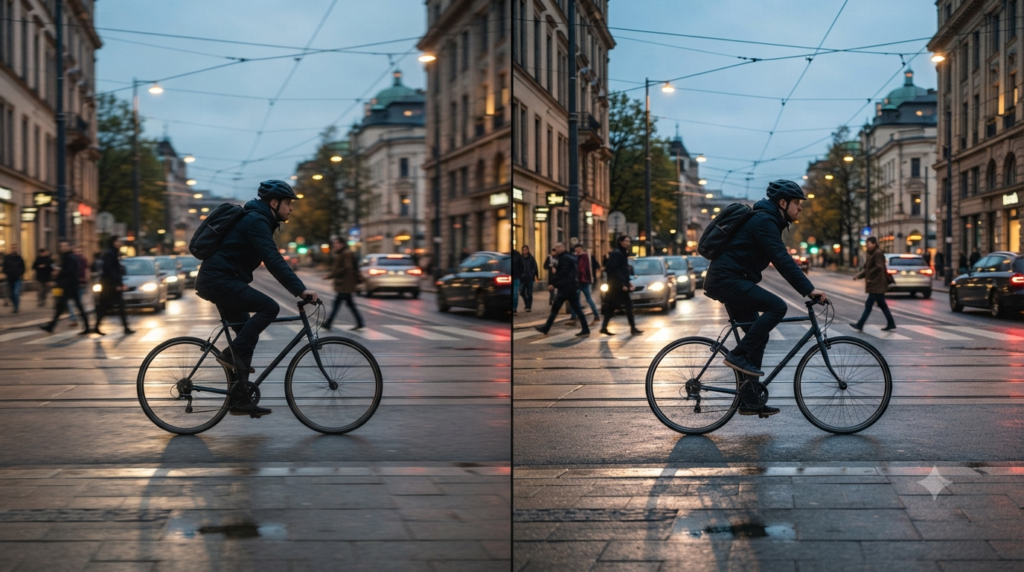
Imagine recording the same street scene twice, with a cyclist moving across the frame. Keep the lens, viewpoint, lighting and camera path as close as possible. Set each clip’s shutter for the motion style you want, then compare them at their native rates.
At 24 fps, the cyclist moves further between successive images. At 60 fps, the movement has more steps and may look clearer because each new frame samples a closer position. Yet if the 60 fps clip uses a faster shutter, part of that sharpness comes from reduced exposure blur.
Now play both versions on the same display with interpolation disabled. This controls one major variable. Repeat the test with a static conversation shot. You may find the difference matters much more in the moving scene, which explains why a single fps recommendation cannot suit every film.
What Viewers and Creators Commonly Get Wrong
“24 fps means poor quality.” Not necessarily. Frame rate does not determine sharpness, colour, lighting or storytelling. A well-made 24 fps movie can look excellent.
“120 Hz means 120 fps movies.” No. The screen’s refresh ability does not identify the number of unique frames in the source. A 24 fps film stays 24 fps without interpolation.
“60 fps always looks more cinematic.” Smoothness is not the same as a film aesthetic. Some viewers prefer it for action, while others find it distracting in dramatic scenes.
“Changing export fps improves the original.” It cannot recover movement the camera never recorded. An editor may repeat, drop or estimate frames, depending on the chosen conversion.
Which Cinema Frame Rate Should You Choose?
For movie viewing, the best default is the film’s intended frame rate, presented with even timing. Keep motion interpolation off first if you want to judge the original picture. Turn it on only if you prefer the smoother result. Judge cinema frame rate by motion and timing, not just the advertised number.
For filmmaking, 24 fps remains a sensible starting point for narrative scenes. Choose higher fps when you need clearer fast action or genuine slow-motion capture. Then confirm your delivery system can play the footage as intended.
The most useful rule is simple: choose fps for motion, resolution for detail and aspect ratio for framing. Treat your display’s refresh rate as a separate playback question.
Frequently Asked Questions
What does 24 fps mean in cinema?
It means the film displays 24 distinct picture frames per second of normal-speed playback. Each image captures one moment in the movement. The timing of those images helps create the familiar cinematic motion.
Is 60 fps better than 24 fps for movies?
Not in every situation. At 60 fps, fast movement can look clearer and smoother, but the visual character changes. Directors may still prefer 24 fps for drama and familiar film motion.
Can a 60 Hz TV play a 24 fps movie?
Yes. It can repeat frames to fit the display rate, although uneven repetition may add judder. Some TVs or playback devices offer other modes that preserve a more even film cadence.
Does a 120 Hz TV show 120 unique movie frames?
Only when the content and playback chain provide that many unique frames. A standard 24 fps film can repeat each original frame across five 120 Hz refresh cycles. The screen’s refresh number alone does not change the source.
What is the difference between 23.976 and 24 fps?
23.976 fps is a commonly used shorthand for a rate slightly below exact 24 fps. Many video workflows use it for compatibility. Check the precise project and output settings because the rates are not identical.
Does 4K mean a higher frame rate?
No. 4K refers to resolution, while fps describes motion updates. A 4K movie can use 24 fps or another supported rate. More pixels do not automatically add more frames.
Why do slow camera pans look choppy at 24 fps?
Sideways movement can make the gaps between recorded positions easier to notice. Shutter speed, scene detail and the display’s cadence also matter. Slower or more carefully planned camera moves may reduce distracting judder.
Can software convert 24 fps video into 60 fps?
Yes, but the conversion cannot capture new original moments. Software may duplicate frames or estimate intermediate images. The result can look smoother, although visual errors may appear around complex movement.
What is high frame rate (HFR) cinema?
HFR means cinema presentation with more frames per second than the traditional 24 fps rate. Examples include 48 fps and other supported formats. The cinema and the delivered film version must both support that presentation.