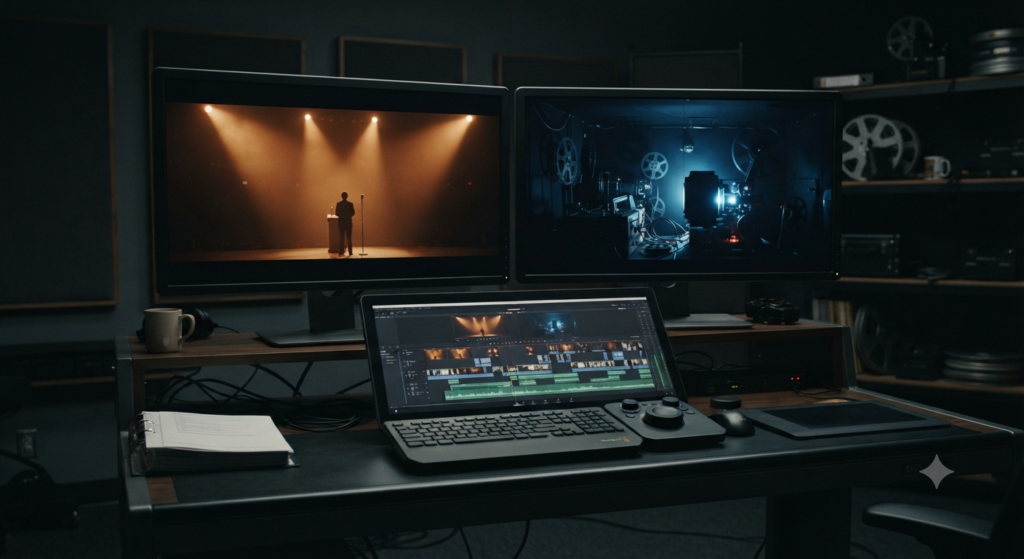
Cross Cutting Parallel Editing: How Connected Action Works
Cross cutting parallel editing makes separate actions feel connected by cutting from one place to another. A filmmaker can show a presenter beginning a countdown while a technician struggles to start the projector elsewhere. Neither character sees the whole problem, but the audience does. The pattern creates suspense through the order and timing of the cuts.
The secret is not simply switching locations. Each return must change what the viewer expects, knows or fears. This guide breaks down one fictional sequence, then shows how its meaning changes when the editor changes the rhythm, sound or ending.
Cross Cutting Parallel Editing at a Glance
- Core method: Alternate between two or more lines of action rather than finishing one scene before showing the other.
- Usual time relationship: Viewers commonly read the events as happening at roughly the same time.
- Story effect: The audience compares actions, anticipates a collision or notices information that characters lack.
- Main control: Choose which action to leave, which one to revisit and how long each shot lasts.
- Important distinction: Montage builds meaning from a series of images; a sound bridge connects images through audio.
What Is Cross Cutting Parallel Editing?
Cross cutting parallel editing alternates shots or scenes from different lines of action. The audience follows both instead of watching each one from start to finish. In a common suspense scene, the events happen at about the same time, so each cut suggests that an unseen deadline is drawing closer.
Film teachers also call this pattern intercutting. The names often overlap, although some writers use cross-cutting as the broad method and parallel editing for a narrower case. Other accounts use parallel editing for thematic connections that need not share one clock. Always describe the actual time relationship rather than relying on a label alone.
Adobe’s cross-cutting explanation describes the back-and-forth movement and its effect on time and space. The Ohio State film textbook discusses parallel editing as a form of cross-cutting. Together, they show why the action matters more than a rigid vocabulary test.
A Fictional Cross Cutting Parallel Editing Sequence
Imagine a community cinema preparing for its opening-night screening. Mira stands onstage, ready to introduce the film. Upstairs, Dev discovers a loose cable in the projection booth. The audience can see both places, but Mira cannot see Dev’s work.
No existing film supplies this example. It is a fictional editing exercise with ordinary, shootable actions. Its purpose is to show how an editor builds a connected event from two separate spaces.
Seven shots that make one deadline
| Beat | Picture | What the viewer learns |
|---|---|---|
| 1 — Stage | Mira raises a microphone and promises the film will begin shortly. | A public event is about to start. |
| 2 — Booth | Dev sees a blank projector screen and follows the loose cable. | The event is in trouble, although Mira does not know. |
| 3 — Stage | Mira smiles at the audience and begins a short countdown. | The deadline is now clear. |
| 4 — Booth | Dev reaches behind the projector, but the plug slips from his hand. | The fix may come too late. |
| 5 — Stage | Mira reaches the last word of her introduction. | There is almost no time left. |
| 6 — Booth | Dev secures the cable and watches the projector light come on. | The technician has succeeded, but Mira has not seen it. |
| 7 — Stage | The first image fills the screen as Mira steps aside. | The two actions finally meet in one result. |
In cross cutting parallel editing, the same seven shots could feel flat if the editor showed all of Mira’s actions first. Following Dev afterwards would turn the repair into a flashback-like explanation or a second chapter. Alternation instead keeps the outcome unresolved while both stories advance.
Cross Cutting Parallel Editing: Why Returning Matters
The first booth shot establishes a problem. The next stage shot matters because Mira still behaves as though nothing is wrong. When we return to Dev, the failed first attempt changes the odds. The final stage shot then answers the question both threads created.
Notice what this sequence does not require: a split screen, a ticking-clock graphic or fast cuts throughout. The suspense comes from contrasting knowledge and a shared deadline. Rhythm can sharpen that pattern, but it cannot replace it.
How Cross Cutting Parallel Editing Builds Tension
Cross cutting parallel editing makes viewers track two questions at once: what happens next in each place, and how the events affect one another. The editor can withhold a result, reveal a problem that one character misses, or shorten the gaps between related actions. Each choice changes the audience’s expectations.
Give viewers more information than a character
Mira thinks the screening will begin on schedule. The viewer knows Dev has a cable problem. That gap is dramatic irony: we understand a threat to Mira’s plan before she does. Each smiling stage shot then carries a little extra tension.
If Mira receives a message explaining the problem before her countdown, the scene changes. Now both Mira and the audience know what is wrong. The same cut pattern might still work, yet the suspense would come from watching a joint effort rather than a hidden problem.
Using Shot Length in Cross Cutting Parallel Editing
Start the fictional scene with a long stage shot, so the audience settles into the event. Then give Dev enough screen time to explain the cable issue. As Mira approaches her final line, shorter returns can make both spaces feel urgent.
Shorter shots are not a universal rule. Hold on Dev’s face after the cable slips, for example, and a pause may feel worse than a flurry of quick edits. The useful question is whether the audience needs time to understand the action or time to dread its outcome.
Use the order of shots to control the reveal
What happens if the editor shows the projector starting before Mira’s last line? We know the problem is solved, so her final words can feel like relief. Cut to Dev only after the screen lights up, and his cable repair instead becomes an explanation of a surprise success.
Those versions use much of the same footage, but they tell different stories. Cross cutting parallel editing is therefore not merely a way to show simultaneous activity. It lets editors decide when the audience learns the decisive fact.
Cross Cutting vs Parallel Editing: Is There a Difference?
In everyday film discussion, cross-cutting and parallel editing often mean the same alternating pattern. Some teaching texts draw a narrower distinction, however, especially when the actions share a clear time frame. An editor describing a real sequence should specify whether the events appear simultaneous, simply related or separated in time.
For example, the cinema scene places the stage and booth inside one countdown. A different film might alternate a grandmother planting a tree with a granddaughter caring for it decades later. That second pattern creates a thematic parallel, but it does not ask viewers to believe both actions occur together.
The film-editing textbook at Illinois Central College uses crosscutting and parallel editing together for action in separate spaces. This is a useful default for beginners. When timing is more complex, explain the relationship explicitly instead of insisting that every source uses the terms identically.
Cross Cutting Parallel Editing vs Montage
Cross cutting parallel editing tracks distinct storylines by returning to them. Montage, in its familiar sequence form, selects several images to compress time or develop an idea. The two can appear in one film, yet they answer different editing questions: whose action continues, and what meaning emerges from a series of shots?
| Technique | Main question | Fictional example |
|---|---|---|
| Cross-cutting | What is happening in each connected location? | Mira counts down as Dev fixes the projector. |
| Montage sequence | What progress or idea can many brief images convey? | Days of rehearsal appear in a short set of practice shots. |
| Sound bridge | Which sound links the images across a cut? | Mira’s voice continues over Dev’s hands in the booth. |
A montage could show the cinema’s preparation across several weeks: seats repaired, posters hung and rehearsals repeated. The opening-night countdown, by contrast, asks viewers to follow two ongoing actions inside one urgent period. For a deeper explanation, read Movieshala’s guide to film montage and time compression.
Sound Bridges Are Not the Same as Alternating Action
A sound bridge connects shots through audio that starts early, carries over or continues beneath changing images. Cross-cutting connects lines of action through picture order. An editor can use both together, but a sound bridge alone does not prove that two scenes happen at the same time.
Sound Bridges in Cross Cutting Parallel Editing
While Dev looks for the plug, keep Mira’s countdown audible from the auditorium. Her voice ties the booth to the stage and reminds us of the shared deadline. The image follows Dev, yet sound keeps Mira’s action present.
Another option starts the projector’s low hum over Mira’s face before returning to the booth. That incoming sound can hint at success. It also risks revealing the answer early, so test whether the anticipation or surprise matters more.
J-cuts and L-cuts describe audio timing
A J-cut lets incoming sound start before the matching image appears. An L-cut lets outgoing sound continue after the picture changes. Both concern the position of audio and picture cuts, not the structure of the two storylines.
Movieshala’s J-cut and L-cut guide shows how split edits shape sound bridges. A cross-cutting sequence can use several such overlaps, a steady music bed or clean cuts without sound carryover. None of those sound choices automatically changes its basic visual structure.
How to Edit Two Lines of Action Without Losing the Viewer
Build each line of action so it makes sense on its own, then decide where the two lines should meet. Place cuts at moments that raise a new question or answer an earlier one. Test the sequence without music first, because a strong soundtrack can hide a weak picture structure.
Eight checks for a readable intercut
- Define the connection. Write down the deadline, shared goal or contrast that links both locations. If there is no connection, the switches may feel random.
- Establish both places. Give viewers an image that clearly identifies the stage and another that identifies the booth. Return shots can then be tighter.
- Build a readable version of each action. Check that Dev’s repair has a clear start, obstacle and result. Do the same for Mira’s introduction.
- Mark useful switching points. Cut away after a decision, a failed attempt, a reaction or a new piece of information. Avoid switching only because a fixed number of seconds has passed.
- Choose the reveal order. Decide whether viewers see Dev succeed before Mira finishes or only when the screen lights up.
- Shape the pace. Compare longer holds with faster alternation near the deadline. Keep enough time to read hands, faces and screen changes.
- Add sound with purpose. Test stage ambience, the projector hum and a brief overlap of Mira’s voice. Make sure each sound has a clear narrative role.
- Screen the sequence without explanation. Ask a viewer which place they saw, what problem they understood and when they expected it to end.
Adobe’s guide to film cuts places cross-cutting among wider editing choices. For shot direction and matching movement inside either location, Movieshala’s continuity editing guide covers the separate problem of keeping each space clear.
Common Mistakes When Cutting Between Locations
Switching too often before a new fact appears
In cross cutting parallel editing, a cut cannot add urgency if nothing changes when we arrive. Repeatedly showing Mira waiting and Dev staring at a cable will soon feel like padding. Give each return a fresh action, setback or decision, even if the change is small.
Making two locations look like one
Similar rooms and unclear establishing shots can confuse the audience. Use different visual landmarks for the stage and booth. You can also preserve clear screen direction within each space, especially when a character moves toward an important object.
Using a shared soundtrack to cover weak geography
Mira’s voice may connect the locations, but it cannot show where Dev stands. If viewers mistake the booth for backstage, give them a wider view. Sound can support the relationship after the pictures make the spaces understandable.
Cross Cutting Parallel Editing Without Fast Cuts
Rapid alternation may weaken tension when the viewer cannot read Dev’s hands or the projector’s status light. Try a longer hold at the failed repair. When the next cut finally returns to Mira, the wait may feel more intense.
A Simple Three-Version Editing Exercise
Film two short actions with a shared deadline, such as a presenter waiting for a projector operator. Make one version that completes the stage scene before showing the booth. Next, alternate the two scenes with even shot lengths. Finally, let the return shots become shorter near the screening.
Compare what each version tells viewers and when they learn it. The first might seem like two chapters. The second may establish simultaneous time, while the third could add urgency. There is no guaranteed best choice because performance, framing and sound also affect the result.
As a second test, leave the picture sequence unchanged and add a voice bridge from the stage. That isolates the effect of sound. The Australian Centre for the Moving Image’s editing lessons provide a useful broader foundation for comparing cuts and their effects.
The Bottom Line
Cross cutting parallel editing succeeds when each return changes the meaning of the other action. Establish the places, create a shared question and decide when the audience should know the answer. Use pace and sound to support that design, not to disguise a missing story connection. The simplest test is whether viewers can explain both actions and why the film kept moving between them.
Cross Cutting Parallel Editing: Frequently Asked Questions
What is a simple example of cross-cutting in film?
A presenter counts down onstage while a technician repairs a projector upstairs. The edit returns to each location as their deadline approaches. Viewers connect both actions even though the characters do not share the same room.
Do cross-cutting and parallel editing mean the same thing?
They often refer to the same back-and-forth pattern, especially for simultaneous action. Some film texts distinguish their scope, however. Describe the relation between the scenes and their time frames when precision matters.
Must cross-cutting show events happening simultaneously?
No universal vocabulary rule covers every usage. The familiar suspense form strongly implies simultaneous events, while broader alternating patterns may connect different time periods. Give viewers a clear clue if the story does not share one timeline.
How does cross-cutting create suspense?
It shows a deadline or danger in one location while the other action continues without that knowledge. Each return can narrow the time left or reveal a setback. Suspense depends on what the audience understands, not just rapid cutting.
Is cross-cutting the same as montage?
No. Cross-cutting usually revisits ongoing lines of action, while a montage sequence often condenses time or builds an idea through selected images. A film can combine the techniques, but they serve distinct story purposes.
Can cross-cutting use a J-cut or L-cut?
Yes. A character’s voice can begin before a cut or continue after the picture switches locations. These audio overlaps may connect the actions, but they do not create cross-cutting on their own.
Does cross-cutting need fast editing?
No. Slow, deliberate alternation can let viewers compare events or dread an outcome. Faster switching often suits an approaching climax, yet each shot still needs enough time to communicate its information.
How many storylines can parallel editing follow?
It can follow two or more. Extra locations increase the viewer’s memory load, so each thread needs a clear identity and purpose. Start with two until you can keep the time and stakes easy to follow.