Film Exposure Triangle: Aperture, Shutter Speed and ISO
The film exposure triangle links aperture, shutter duration and ISO, but the three controls do not do the same job. Two shots can look equally bright while showing different motion blur, focus depth and shadow noise. To see why, follow an invented night scene and change one decision at a time.
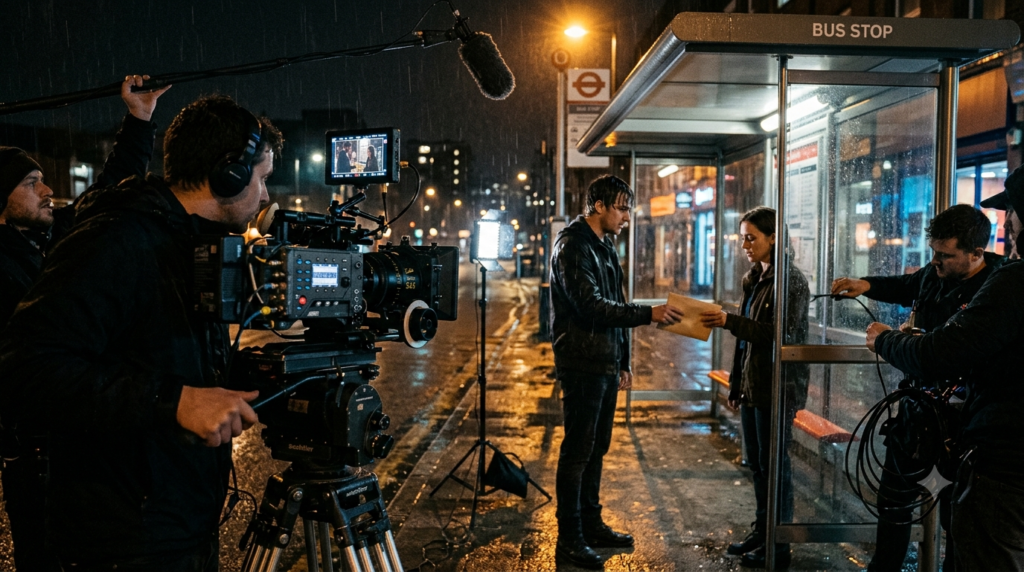
Imagine Asha waiting at a rain-soaked bus shelter. Ravi arrives on a scooter and hands her an envelope. A streetlamp lights their faces, while a bright shop window glows behind them. Every character, location and camera setup here is fictional.
What Is the Film Exposure Triangle?
The film exposure triangle is a practical way to balance three camera settings: aperture controls the size of the lens opening, shutter duration controls how long each frame gathers light, and ISO controls the camera’s sensitivity rating or signal handling. Together they influence image brightness, but each carries a different visual tradeoff.
That final distinction matters most in video. Aperture and shutter duration change how much light reaches the sensor. Raising ISO does not send extra light through the lens. Instead, its effect depends on the camera’s gain, processing or exposure-index design.
Canon’s exposure triangle explanation describes the basic controls. Filmmakers then add movement, lighting and continuity to the decision. A correct meter reading alone cannot tell you whether the shot serves the scene.
Film Exposure Triangle at a Glance
- Aperture: A lower f-number opens the lens wider, admitting more light and often reducing depth of field.
- Shutter duration: More time per frame gathers more light but leaves more blur on moving subjects.
- ISO or EI: A higher setting can make the recorded or displayed image brighter, but it adds no incoming photons.
- Frame rate: Frames per second measures how often the camera samples motion, not how long each frame is exposed.
- Lighting and ND: Lamps, reflectors and neutral-density filters help protect creative choices when the triangle alone cannot.
The film exposure triangle is therefore a decision tool, not a recipe for one perfect number. Lock the settings that define the image’s character, then solve the remaining brightness problem.
How Aperture Changes Light and Depth of Field
Aperture is the opening inside the lens. An f/2.8 setting admits more light than f/4 when the lens and other conditions remain the same. Moving from f/2.8 to f/4 cuts the incoming light by roughly one stop, or half.
For Asha’s close-up, f/2.8 may keep her eyes sharp while the distant shop window turns into soft patches. At f/4, more of the shelter may appear acceptably sharp. That can help when Ravi moves into the same frame.
The cost of stopping down is reduced light. If the scene was already dim, a darker exposure may hide details in Asha’s coat. The cinematographer must compensate without ruining the chosen look.
Depth of field also depends on lens choice, focus distance and framing. Movieshala’s film depth of field guide explores those factors in detail. Here, the key point is that aperture has both an exposure effect and a storytelling effect.
What Is the Difference Between F-Stops and T-Stops?
F-stops describe the aperture geometry, while T-stops account for how much light a lens actually transmits. Two cinema lenses at the same T-stop aim to deliver similar transmitted exposure under comparable conditions. That helps crews match shots when they change lenses during a scene.
Many stills lenses mark f-numbers, while cinema lenses often mark T-numbers. Do not assume their printed values are identical. For our fictional test, the f-stop figures are simplified teaching values, not measured readings from a specific lens.
How Shutter Duration Changes Motion Blur
Shutter duration is the time a frame collects light. At 1/48 second, each exposure lasts twice as long as at 1/96 second. The longer duration gathers twice the light when all other physical conditions stay fixed.
Watch Ravi’s hand as he passes the envelope. A longer exposure may smear the moving fingers across each frame. A shorter exposure gives their edges a crisper, sometimes harsher look. Neither choice changes the lens’s depth of field.
A dramatic action beat might benefit from short, sharp exposures. A quiet exchange might look more fluid with familiar motion blur. Sony’s movie-recording basics treats the shutter as a creative choice that filmmakers often set before adjusting other exposure controls.
The film exposure triangle becomes easier when you decide how movement should look first. Do not shorten the shutter simply because the image seems too bright. You could fix exposure while accidentally changing the scene’s mood.
Why Do Filmmakers Mention a 180-Degree Shutter?
A 180-degree shutter angle exposes each frame for half its frame interval. At 24 frames per second, that gives about 1/48 second per frame. A 90-degree angle at the same rate gives about 1/96 second, creating less motion blur and gathering half the light.
Digital cinema cameras may display shutter angle or shutter speed. The conversion follows a simple idea: exposure time equals shutter angle divided by 360, then divided by frames per second. Adobe’s frame-rate guide explains the connection between motion capture and shutter angle.
The 180-degree convention is a useful starting point, not a compulsory film rule. Test movement at the intended playback speed before deciding whether its blur looks right.
Why ISO Does Not Add Incoming Light
ISO is often described as sensor sensitivity. That shorthand helps beginners, yet it can hide an important difference. Changing the ISO setting does not open the lens, lengthen the shutter or brighten the streetlamp outside Asha’s shelter.
On many digital cameras, ISO changes gain or image processing. On some cinema systems, an exposure index changes how the camera maps and displays a sensor signal. Different recording modes can also respond differently. Therefore, one universal account of every camera’s ISO circuitry would be misleading.
ARRI’s dynamic-range white paper separates physical sensor exposure from exposure index. It explains that scene brightness, aperture, neutral-density filtering and shutter time determine the sensor signal. Exposure index then helps map that signal to a displayed tone.
Suppose we keep f/2.8 and 1/48 second unchanged, then move ISO 800 to ISO 1600. The scene sends the same light to the sensor. On a camera where this change boosts output brightness, the image appears brighter, but the sensor has not captured more shadow photons.
Noise and highlight behaviour depend on the camera and recording path. A higher ISO may reveal more noise, especially when it leads you to record less actual light. Dual-gain or dual-native-ISO designs complicate simple rules, so compare your camera’s modes rather than assuming every ISO increase has the same penalty.
Film Exposure Triangle in a Fictional Night Shot
Set the camera to 24 fps, f/2.8, a 1/48-second shutter and ISO 800. These are illustrative starting settings, not a promise of correct exposure. The actual result depends on the lamp brightness, lens transmission, camera sensor and distance to the actors.
In the first take, Asha’s face looks clear, the window behind her remains bright and Ravi’s hand shows gentle motion blur. The director wants the envelope readable too. However, it slips out of focus as Ravi reaches forward.
One option is to close the lens to f/4. That gives the focus puller more room, but it also reduces the captured light by one stop. The team now has several ways to respond. Each protects a different creative priority.
| Illustrative setup | Change from first take | Tradeoff to inspect |
|---|---|---|
| A: f/2.8, 1/48, ISO 800 | Baseline at 24 fps | Shallow focus, familiar blur |
| B: f/4, 1/48, ISO 1600 | Half the light through lens; higher ISO | More focus depth, possible shadow noise |
| C: f/2.8, 1/96, ISO 1600 | Half the shutter time; higher ISO | Crisper hand movement, possible noise |
| D: f/2, 1/96, ISO 800 | Wider opening offsets shorter shutter | Similar sensor exposure, thinner focus |
| E: f/4, 1/48, ISO 800 | Add suitable light to the set | More depth without raising ISO |
Rows B and C may reach a similar displayed brightness on a camera with conventional one-stop ISO behaviour. They do not restore the lost photons. Row D trades optical depth of field for shorter motion blur, while row E needs a lighting adjustment rather than a menu setting.
Which Setup Works Best for the Envelope Handoff?
Choose based on what the audience must read. If the envelope and both faces need to stay sharp, setup E offers a useful direction: stop down and light the scene. If the hand movement matters more than deep focus, setup D may suit the action instead.
In a tight location, extra light could spill onto the window and flatten the mood. A small, controlled source or reflector may work better than flooding the shelter. Therefore, the creative solution might be a lighting adjustment, a changed actor mark or a second insert shot.
There is no guaranteed exposure setting for this invented scene. Test skin tones, bright signs and moving fingers together. A meter or waveform helps, but the final image must also communicate the moment.
Film Exposure Triangle: Stops and Equal Brightness
A stop describes a doubling or halving of light exposure, or an equivalent change in an exposure-related setting. Aperture, shutter and ISO labels use different number patterns. That is why learning their stop relationships matters more than memorising a favourite combination.
- Aperture: f/2.8 to f/4 is about one stop less light reaching the sensor.
- Shutter: 1/48 to 1/96 second is one stop less light from shorter capture time.
- ISO: 800 to 1600 is a one-stop rating increase, but not a doubling of incoming light.
- Light source: Doubling the illumination on the subject can offset one stop of lost physical exposure.
- ND filter: A one-stop neutral-density filter halves incoming light without altering aperture or shutter timing.
Think about the first two changes together. Opening the lens from f/2.8 to f/2 adds roughly one stop of incoming light. Shortening the shutter from 1/48 to 1/96 removes one stop. With the same scene, the sensor receives roughly similar total light per frame.
Yet the pictures will not look identical. Focus depth decreases while motion blur decreases too. Equal physical exposure does not mean equal visual language. That is the most useful lesson of the film exposure triangle.
Shutter Duration Versus Frame Rate: Two Different Clocks
Frame rate counts separate frames each second. Shutter duration measures the portion of time used to expose each frame. Recording at 24 fps does not mean the shutter remains open for 1/24 second. It might expose for 1/48 second instead.
At 24 fps, the time between frame starts is about 1/24 second. With a 180-degree shutter, each exposure occupies half that interval. At 60 fps, a 180-degree shutter corresponds to about 1/120 second because the frame interval is shorter.
If you change from 24 to 60 fps and keep the same 180-degree angle, each frame gets less exposure time. The image may therefore need more light or another exposure adjustment. Meanwhile, motion gains more separate samples each second.
Do not claim that shutter speed itself changes fps. A 24 fps camera can use a short shutter and still record 24 frames each second. Movieshala’s cinema frame rate guide covers motion sampling, playback and high-frame-rate workflows in greater detail.
When Light and Neutral-Density Filters Are Better Fixes
The film exposure triangle is not your only toolkit. Imagine moving our bus-shelter scene to a bright afternoon. The director still wants f/2.8 for the soft window background and a 180-degree shutter for natural movement.
Closing the aperture would change depth of field. Shortening the shutter would change motion blur. A neutral-density filter can instead reduce the light before it reaches the sensor while preserving those choices.
At night, the problem often reverses. If the scene lacks enough light, a carefully placed lamp, bounce board or brighter practical source may improve the actual signal. Raising ISO alone cannot manufacture the missing photons.
Watch the contrast range, though. A bright window can clip while Asha’s face sits in deep shadow. Adding fill light to the face may be more useful than making every part of the scene brighter. The goal is controlled contrast, not a perfectly even frame.
How to Set Exposure for a Short Film Scene
Use this film exposure triangle workflow when a shot looks too bright or too dark. It puts the story choices ahead of the exposure meter. You can repeat it with a phone, mirrorless camera or cinema camera, although the available controls vary.
- Choose frame rate. Pick the recording rate for the intended playback and movement.
- Set shutter duration or angle. Start near a 180-degree shutter if it suits the motion, then check moving hands.
- Choose aperture for the shot. Decide how much of the faces, envelope and background must stay in focus.
- Set a suitable ISO or EI. Follow the camera’s native or recommended modes, then review noise and highlight handling.
- Shape the actual light. Add or subtract light, adjust practical fixtures or use ND before sacrificing the intended blur.
- Check the image. Inspect a waveform, histogram, false-colour view or exposure meter where available.
- Record a moving test. Review focus, motion blur, clipped signs and shadow texture at normal playback speed.
This process cannot guarantee the perfect take. A performer may move outside the focus range, or a shop sign may flicker under certain shutter timings. Check the problem, then change the smallest number of variables needed.
Film Exposure Triangle Mistakes That Change the Shot
- Calling ISO extra light: Higher ISO can brighten output without increasing the photons entering the camera.
- Confusing fps with shutter duration: Twenty-four frames per second does not dictate one fixed exposure time.
- Using aperture only as a brightness knob: A wider opening may make Ravi’s moving envelope harder to keep sharp.
- Fixing bright daylight with a fast shutter: That can make movement look staccato; try ND if you want the existing blur.
- Assuming higher ISO always ruins an image: Noise depends on exposure and camera design, including gain modes.
- Trusting the preview alone: A display look may hide clipped highlights or shadows with weak detail.
- Trying to rescue everything in grading: Lost highlight texture and poor signal-to-noise can limit later correction.
Movieshala’s film colour grading explainer examines what post-production can and cannot change. A colourist can shape contrast, but recording usable detail gives them a stronger starting point.
The Final Frame: Protect the Story First
The film exposure triangle works best when each setting has a clear purpose. Choose aperture for focus depth, shutter duration for motion blur and ISO or EI with an understanding of signal handling. Then use lighting or ND to manage the remaining exposure problem.
For Asha and Ravi’s fictional handoff, there is no universal correct setting. The envelope must read, the faces must hold attention and the movement must feel right. Test those needs together before calling the frame finished.
Film Exposure Triangle: Frequently Asked Questions
Does a higher ISO let more light into the camera?
No. ISO does not widen the aperture or extend the shutter exposure. Depending on camera design, it changes signal gain, image processing or exposure-index mapping. If the scene is too dark, add actual light or change physical exposure when possible.
Is ISO 800 always better than ISO 1600 for cinema?
No. The better choice depends on the camera and the light you record. A higher setting may reveal noise in underexposed shadows, but some cameras have separate gain modes. Test the actual recording format and manufacturer guidance.
What is the exposure triangle in filmmaking?
The film exposure triangle describes the relationship among aperture, shutter duration and ISO or exposure index. These settings affect image brightness, yet their side effects differ. Aperture influences depth of field, shutter duration changes motion blur and ISO affects signal handling.
Does changing shutter speed change frame rate?
No. Frame rate tells you how many separate images the camera records each second. Shutter speed tells you how long each image gathers light. You can record 24 fps with several different shutter settings if the camera supports them.
What shutter speed should I use at 24 fps?
A 180-degree shutter corresponds to about 1/48 second at 24 fps. Many filmmakers start there for familiar motion blur. A nearby camera setting may be practical, but flicker and creative goals can justify another value.
Can two camera settings give the same brightness but different looks?
Yes. A wider aperture can offset a shorter shutter, leaving similar total light on the sensor. However, the wider aperture changes depth of field while the shorter shutter reduces motion blur. Brightness alone cannot describe the result.
Should I use aperture or ISO first in low light?
Choose aperture for the focus range the scene needs, then preserve a suitable shutter for movement. After that, adjust the lighting and choose an appropriate ISO mode. Opening the lens too far may leave a moving actor soft.
Does a 180-degree shutter mean 180 frames per second?
No. A shutter angle describes the fraction of each frame interval spent exposing. It does not count frames. At 24 fps, a 180-degree angle gives approximately 1/48 second of exposure; at 60 fps it gives about 1/120 second.